





Calculated Metrics in Analytics

Nov 25, 2015
1 min

Calculated metrics are created by you and computed from existing metrics in Google Analytics.

You can create them in the View settings of GA. Once entered you can view the metrics in custom reports or as widgets in a dashboard.

Calculated metrics are great for doing currency conversions or finding out the average revenue per user. Or compare the average revenue per new user and returning user.

Learn more about this new feature here.
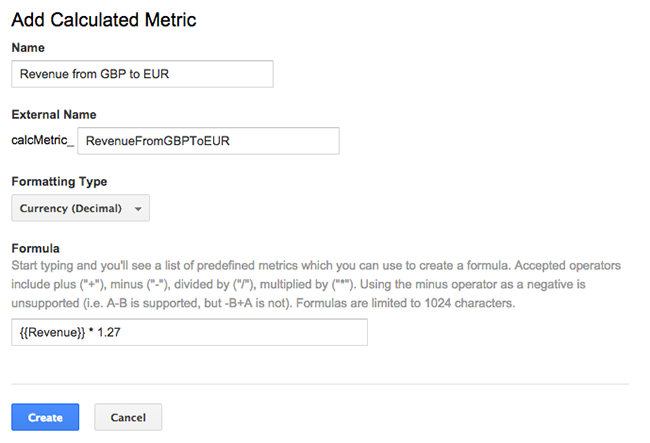
Source: About calculated metrics [beta] – Analytics Help

Rhett Lloyd

Co-Founder & Head of Strategy

Rhett Lloyd is the accomplished owner of WebSuited, a highly regarded marketing solutions company based in Fort Pierce, Florida. With a strong background in digital marketing, Rhett and his team specialize in website development, search marketing, and more, helping businesses achieve growth and success

Related Blogs

Test and optimize creatives

Tuesday, 11 October 2016

Continue Reading...

Filtering invalid clicks in AdWords

Wednesday, 25 March 2015

So you’ve set up your advertising campaign with AdWords and you’re watching the clicks roll in, but do you ever wonder whether those clicks are coming from real users? Some of the clicks you get might not reflect genuine user interest in your ads. Google calls these ‘invalid clicks.’ No need to worry, we’re on…

Continue Reading...

Learn How to define an Event Goal in Google Analytics

Monday, 30 October 2017

Our friends at Measureschool break it down. This is extremely useful for tracking non-pageview related goals.

Continue Reading...

Get Your Business Suited for Success