






Remarketing Just Got Much Easier. 4 Steps, No Code.
 Jan 30, 2015
  2 mins


Google has added a feature to Google Analytics that allows for a simpler and quicker creation of remarketing lists that they have dubbed Instant Activation.
In just 4 easy steps you can create a remarketing list from GA. No tags to setup or code to change.
Before getting into the 4 steps check out how this tool has helped another business.
GlobalTechLED.com is a producer of LED lighting. Thanks to Instant Activation, John Burns, Director of Marketing, was able to start remarketing quickly. Without waiting for IT to re-tag his site, John successfully launched Global Tech LED’s first remarketing campaign and saw fast results by reaching their highest potential customers.
After enabling remarketing, Global Tech LED leveraged Google’s powerful machine-learning technology in two ways for their online campaigns: Smart Lists for remarketing automatically created lists of visitors who were most likely to engage in a subsequent session on GlobalTechLED.com. Then, Conversion Optimizer instantly adjusted the campaigns’ bids get more conversions at a lower cost, eventually freeing up more time and resources for the company.
As a result, GlobalTechLED.com is currently reaching their performance and outreach goals. To date they’ve doubled their display campaigns’ CTRs and have almost five times more clicks on their remarketing campaign compared to their other campaigns. Website traffic increased by over 100% in the first 30 days of the campaign, and international traffic skyrocketed. They’ve also seen a 75% decrease in CPA for their campaigns.
Here’s the instructions to using Instant Activation from Google:
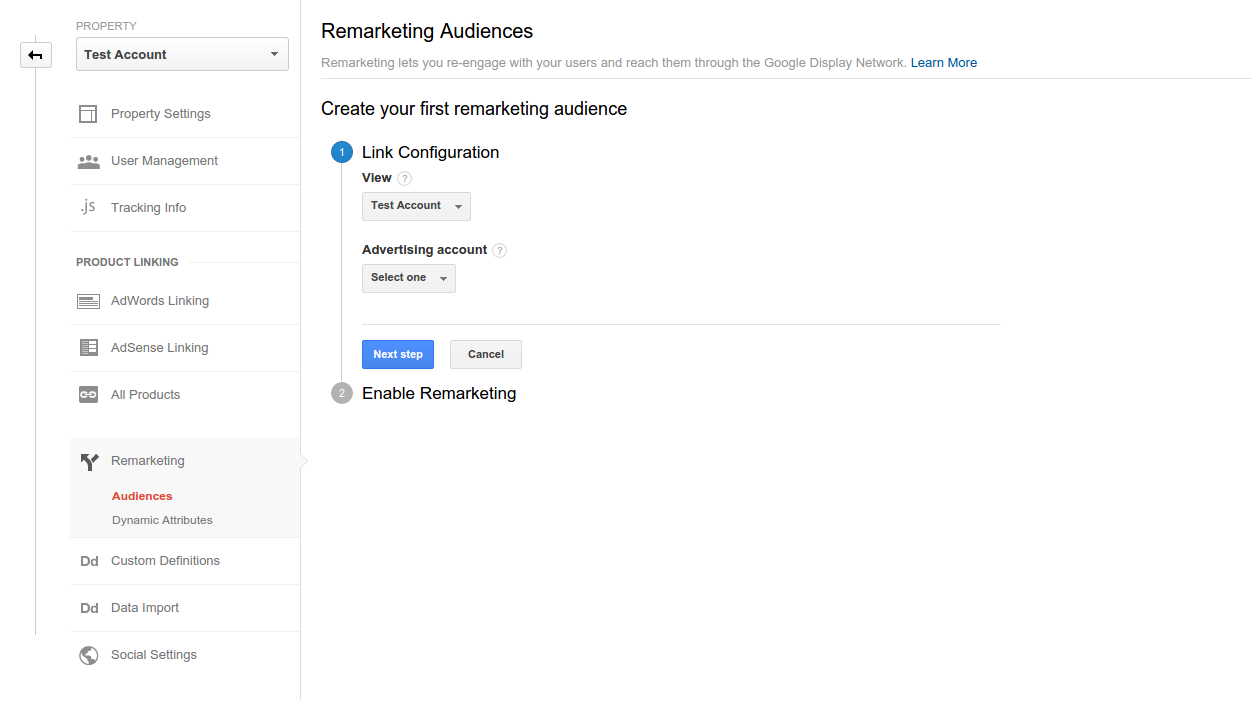
1. In your Google Analytics Property’s settings, choose ‘Audiences’ under the ‘Remarketing’ section.
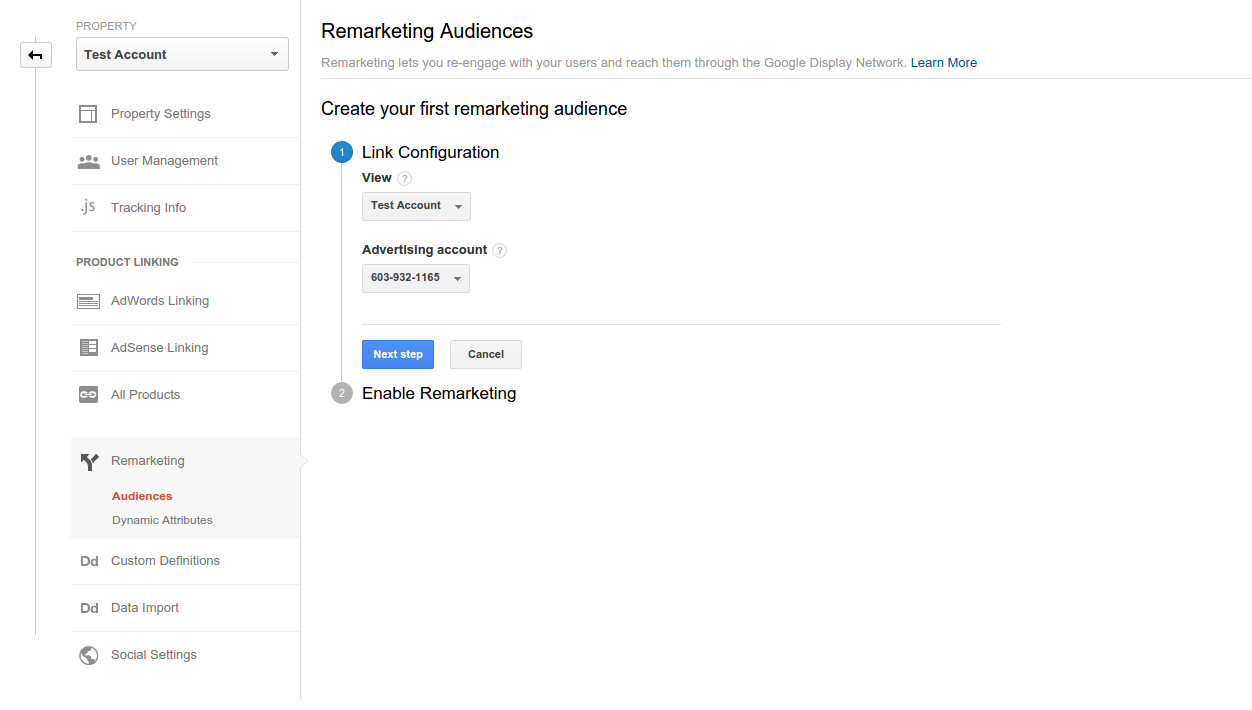
2. Choose the AdWords account where you’d like to share your Audience and click ‘Next Step’.
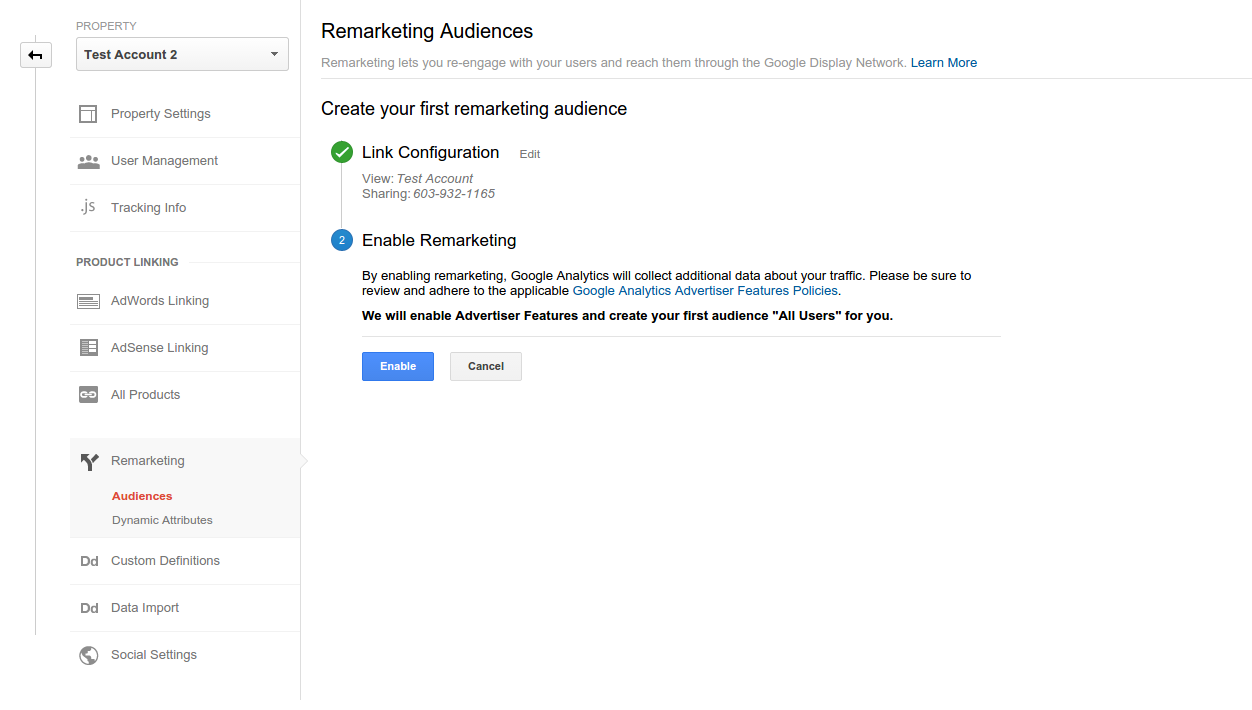
3. Click “Enable” to create your first audience of All Users. You can also come back later and create more complex audiences, like ‘visitors who have spent more than six minutes on site’, ‘visitors who visited more than five pages’, or ‘abandoned cart’.This step automatically activates Advertiser Features if you haven’t done so already, which also enables Audience Demographics and Interests Reporting. You can manage this setting at any time in the Admin tab, under the ‘Advertiser Features’ section in your Property Settings.
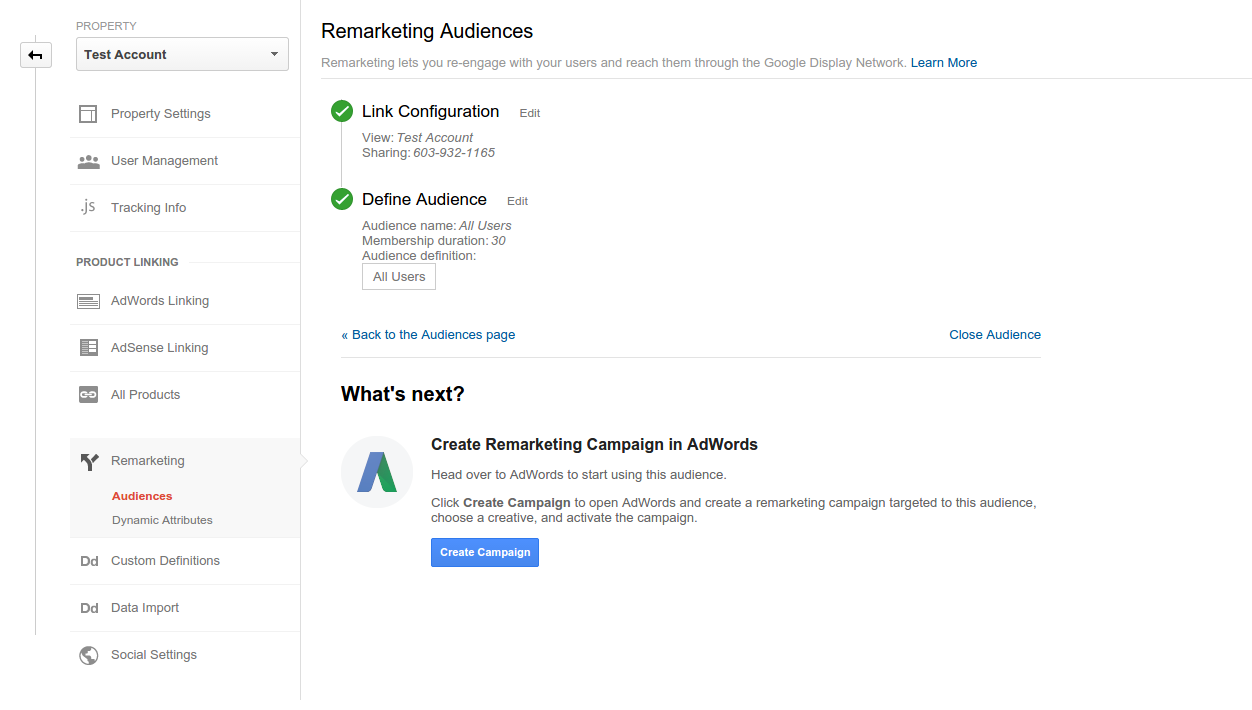
4. Click ‘Create Campaign’ and complete the remarketing campaign creation process in AdWords. Congratulations, you are now a Remarketer!
Thanks to Avi Mehta and Rosanne Borja for posting the steps and happy remarketing!